

Price per token is a vendor-specific unit. Two models quoted at the same per token price will burn a different number of tokens on the same task. The May 2026 study “The Price Reversal Phenomenon: When Cheaper Reasoning Models Cost More“ compared actual model costs on the same 12 tasks. In 32% of model-pair comparisons, the model with the lower per-token price ended up costing more. Token consumption was the driver. I wrote about that study here.
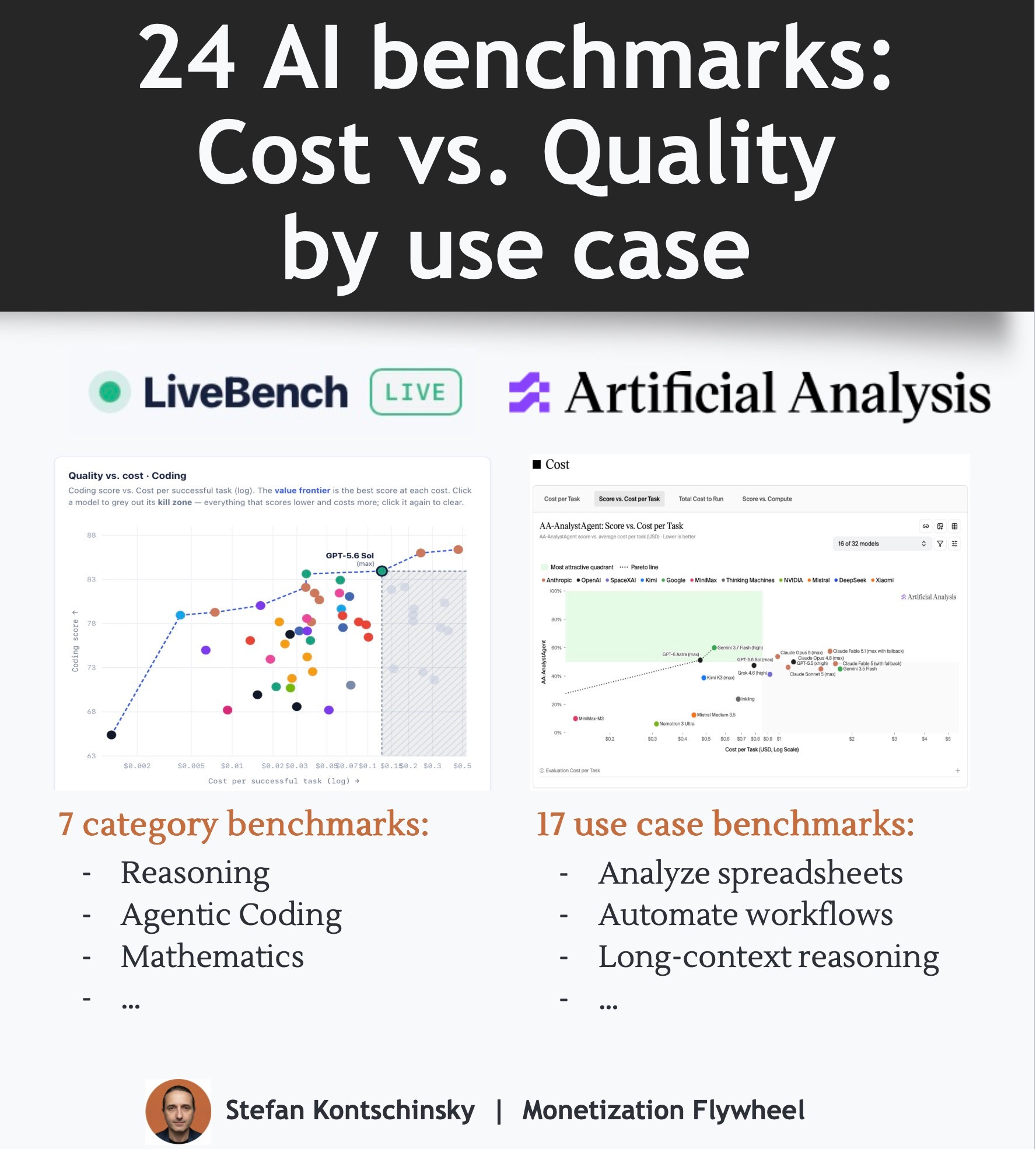
So how do you pick the right model for your task? Two public benchmark sites score AI models across 24 benchmarks specific to use cases like analysis, reasoning by comparing Quality vs. Cost.
1. LiveBench: cost vs. quality for 7 categories
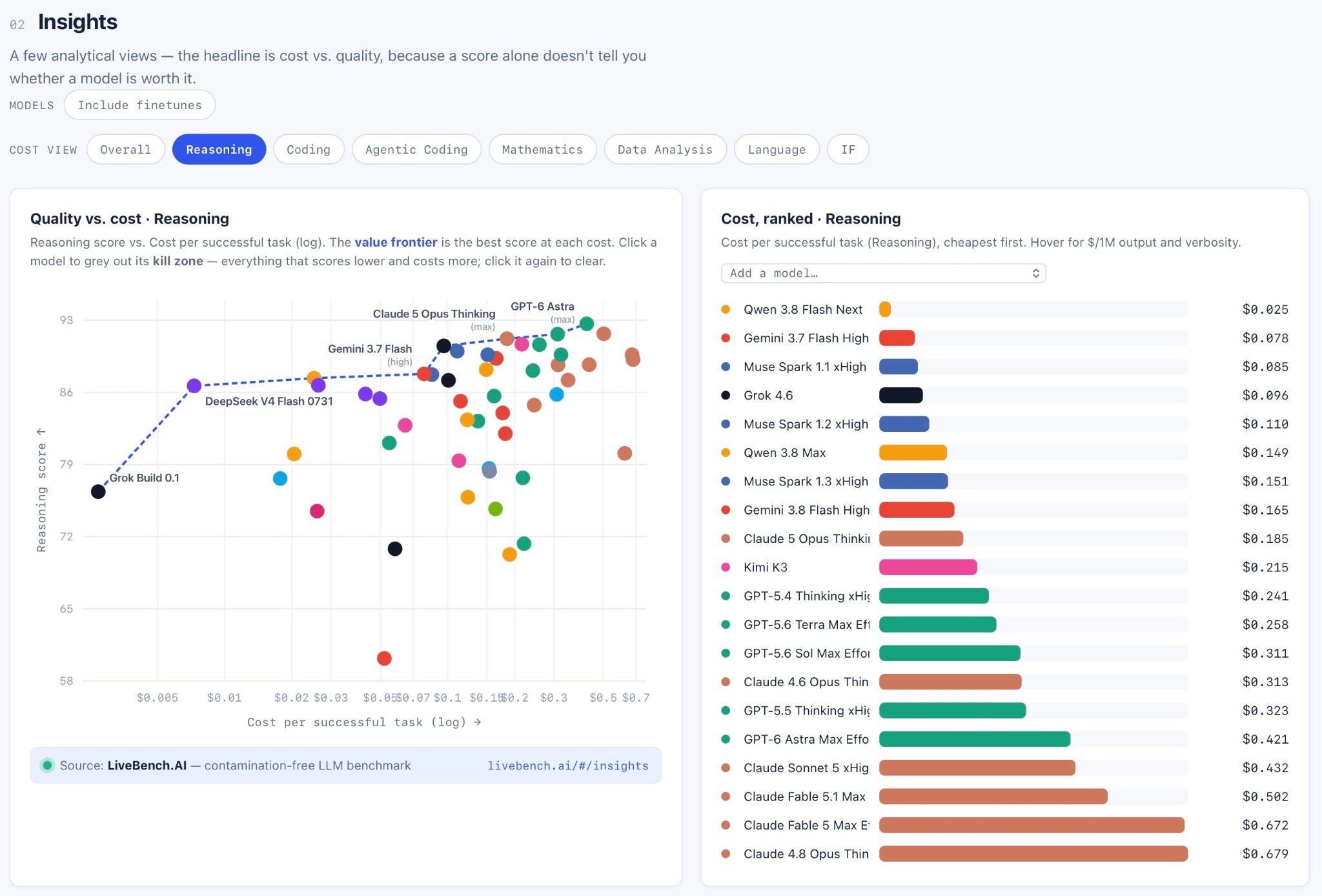
LiveBeLnch publishes a neat interactive chart (scroll down to “02 Insights”) that plots models on a 2x2 matrix: quality vs. cost.
The logic is simple. Paying more for a model that scores higher on your task can be worth it. Paying more for one that scores lower is not.
Above the chart, you can select one of 7 categories:
Reasoning
Coding
Agentic Coding
Mathematics
Data Analysis
Language
Instruction Following (IF)
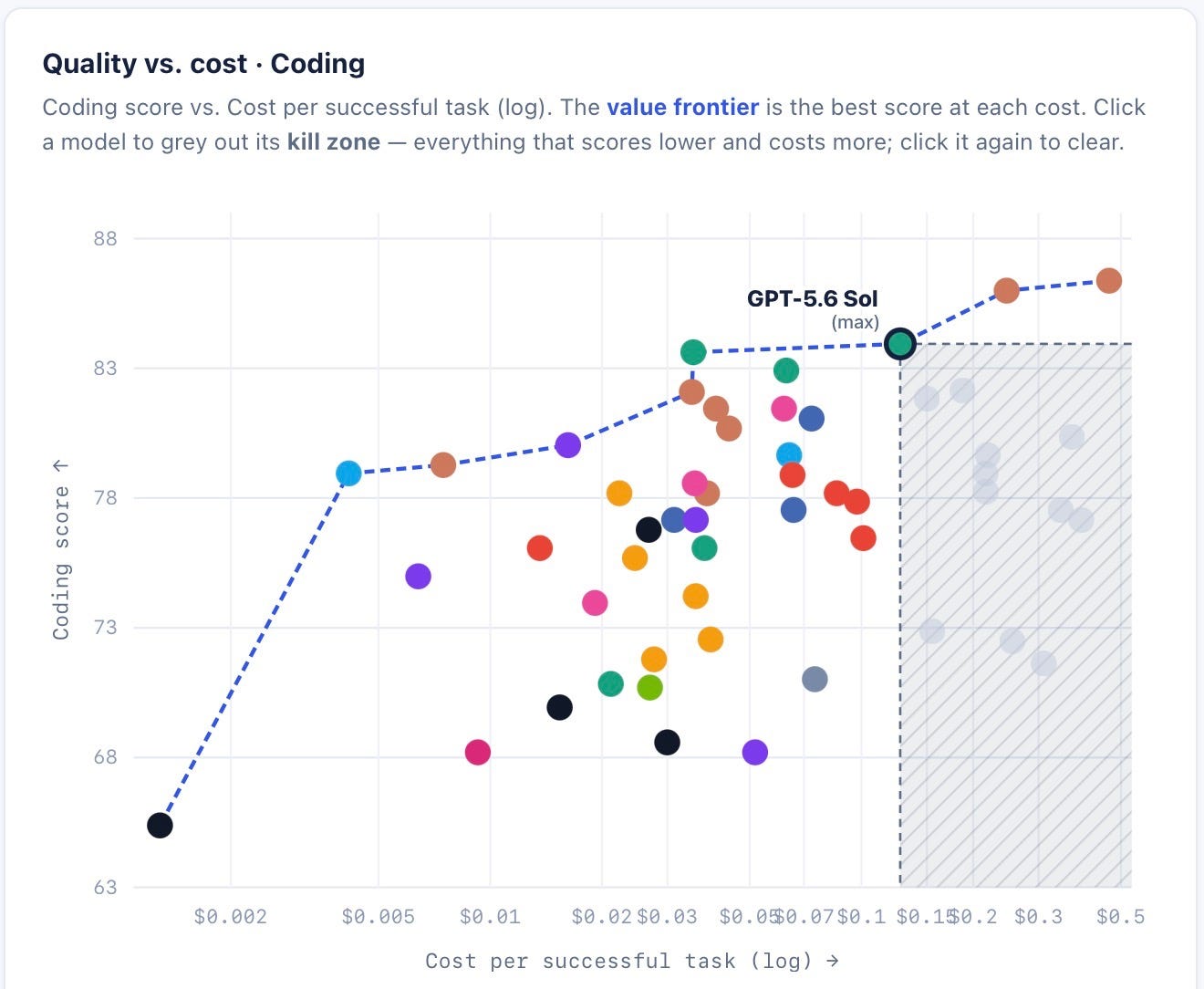
The insights can save you a lot of money. GPT-6 Astra for coding costs almost triple per successful task to that of GPT-5.6 Sol Max Effort. Its quality score is also lower (80.6 vs. 83.9). LiveBench calls that region the “kill zone.” Select GPT-5.6 Sol (max) and Astra greys out inside its ‘kill zone’: everything that scores lower and costs more.
2. Artificial Analysis: 17 use case benchmarks
Artificial Analysis is the other main player benchmarking cost per task. They define their Artificial Analysis Intelligence Index based on a suite of benchmarks and publish an overall ranking. Even more importantly, they also publish the individual benchmarks.
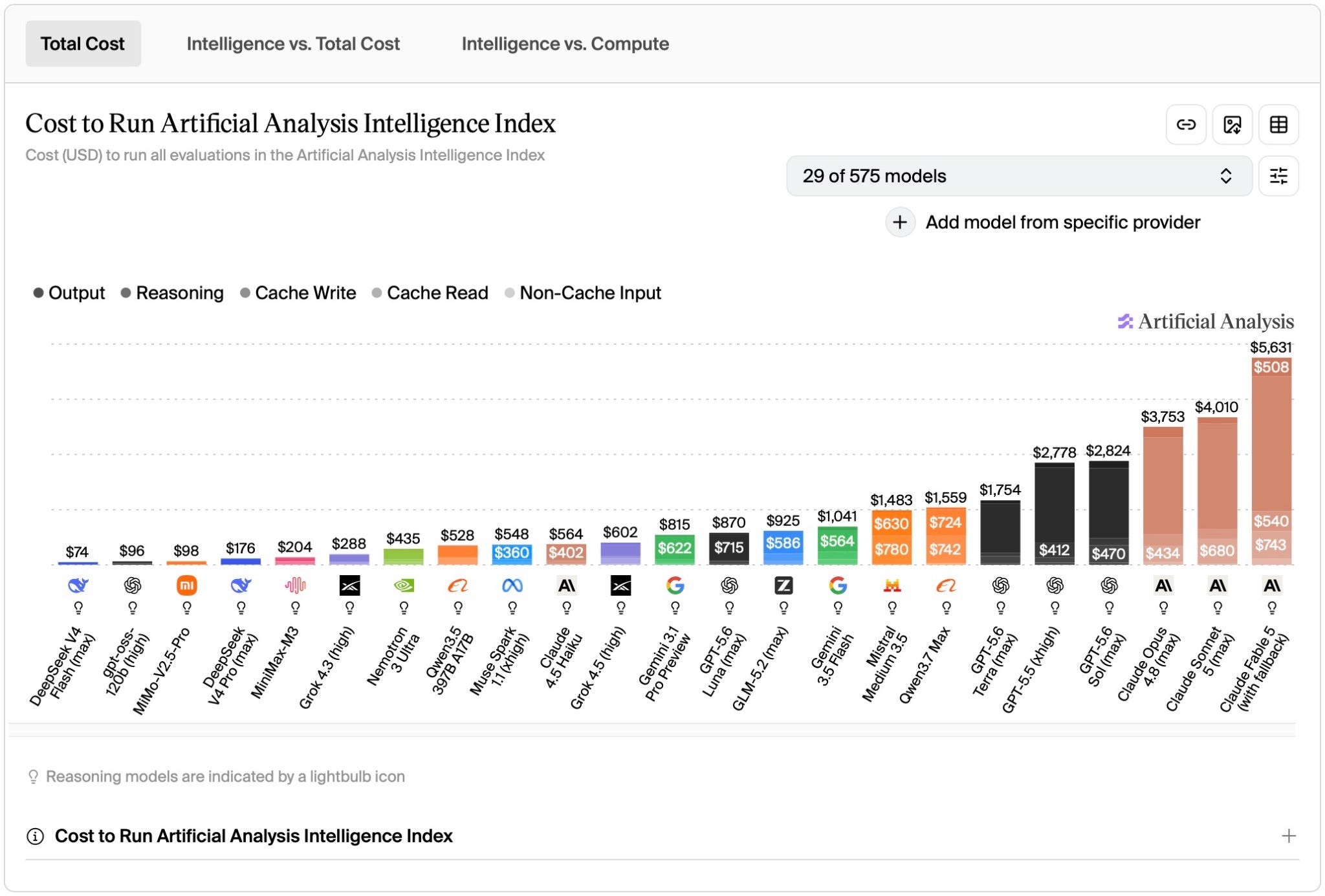
The “total cost” view is informative, but model choice is always a trade-off: how much outcome do I get at what price? Click on “Intelligence vs. Total Cost“ and the view changes to a 2x2, adding the Artificial Analysis Intelligence Index score as the y-axis.
The per-benchmark pages are even more useful. 17 of them offer the quality vs. cost view.
Business Workflow Benchmarks
Analyze spreadsheets and documents → AA-AnalystAgent
Execute consulting, investment banking and law tasks → APEX-Agents-AA
SaaS workflow automation → AutomationBench-AA
Customer service, HR, ITSM → EnterpriseOps-Gym-AA
Create spreadsheets, presentations and memos → AA-Briefcase
Produce professional deliverables across 44 occupations → GDPval-AA
Legal Agent tasks → Harvey LAB-AA
Document Reasoning & Instruction Following Benchmarks
Answer questions based on long PDFs → GDP.pdf
Long-context reasoning → AA-LCR
Precise instruction following → IFBench
Medical records reasoning → MLCR-AA
Coding Benchmarks
Scientific research code writing → SciCode
Coding and terminal tasks → Terminal-Bench
Diagnose root cause of Kubernetes incidents → ITBench-AA
Research & Science Benchmarks
Answer academic questions → Humanity’s Last Exam
Research-level physics problems → CritPt
Graduate-level physics, biology, and chemistry questions → GPQA Diamond
Take AA-AnalystAgent. It tests models on 80 analyst questions, each with its own folder of spreadsheets and documents. Gemini 3.7 Flash scores slightly higher than Claude Fable 5.1 (60% vs 58%) at roughly a third of the cost. That is a decision you can act on when choosing which LLM your agent runs on.
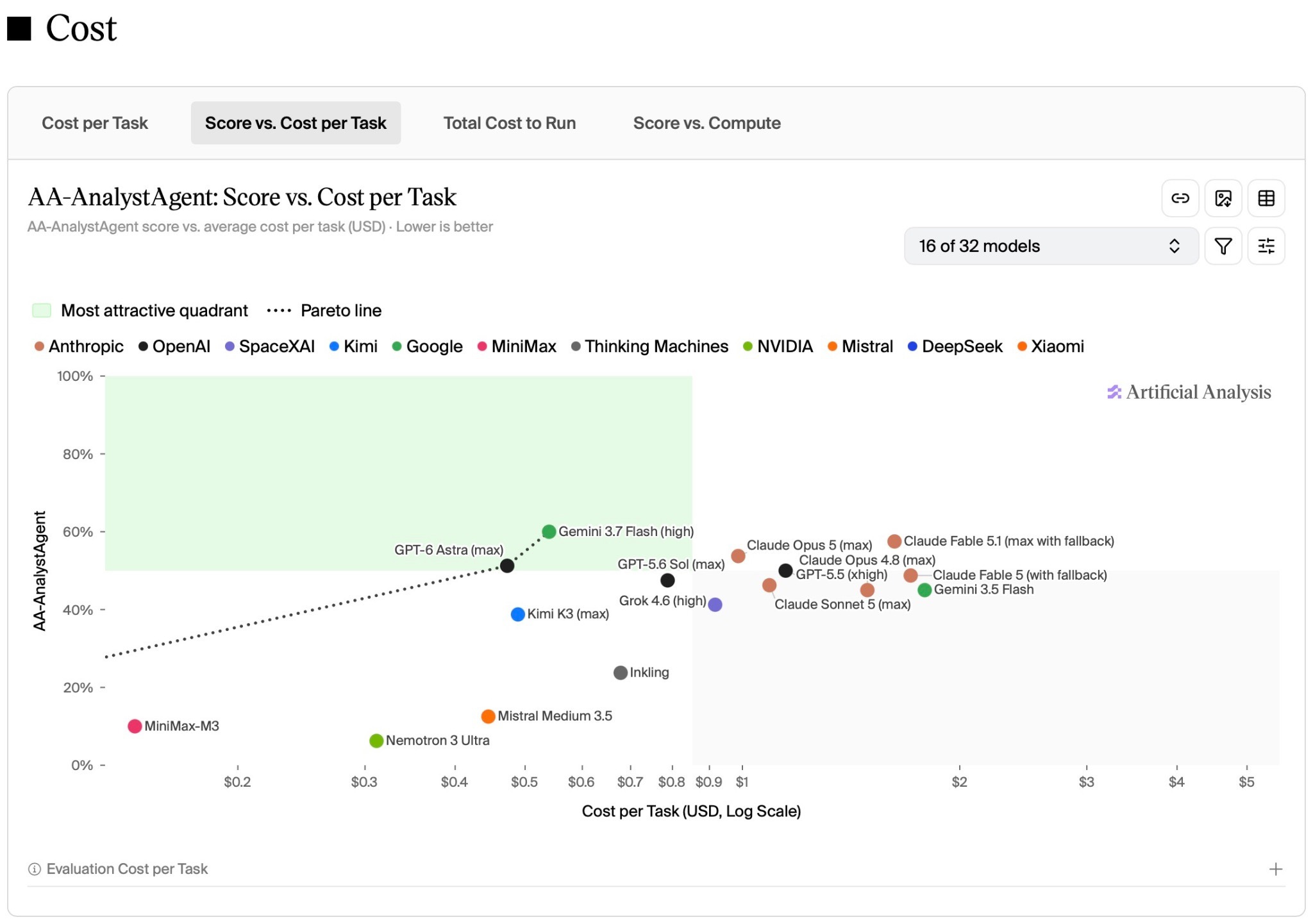
How to read and tailor the score vs. cost view
Using AA-AnalystAgent as the example:
Open AA-AnalystAgent and scroll down to “Cost”
Select Score vs. Cost per Task to compare cost against performance
Hover over a model’s dot to see its “cost per task“ and benchmark score
Use the models dropdown above the chart to add/remove individual LLMs
Closing Thought
Stop choosing models by published token prices. They’re not comparable between AI providers. Pick the cheapest model that offers the right quality for your use case.


